
Trust Wallet Review: The Free Mobile Wallet Worth Using?

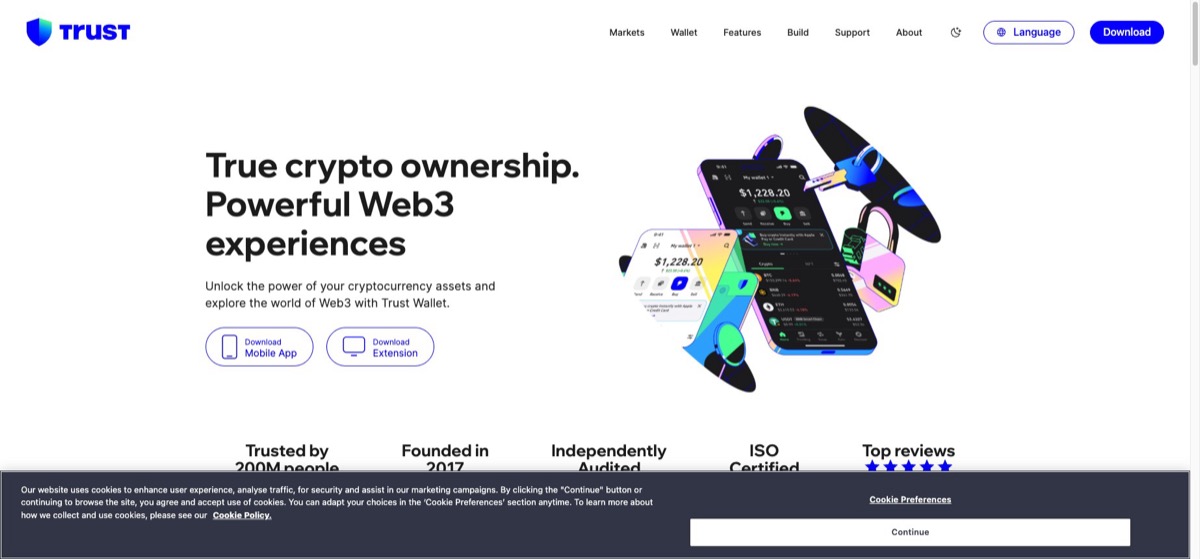
Trust Wallet is a free, mobile-first, non-custodial wallet that puts an unusually wide range of blockchains in one app. For everyday amounts, it is one of the easiest ways to hold your own keys without paying for hardware. It is not the right home for large long-term holdings, because it remains a hot wallet on an internet-connected phone. This review covers what it does well, where the trade-offs sit, and who should actually use it.
Verdict at a glance
Trust Wallet is best for mobile users who want self-custody across many chains without spending anything. Keep serious balances elsewhere.
| Category | Rating |
|---|---|
| Multi-chain support | Excellent |
| Cost | Excellent |
| Built-in features | Good |
| Beginner setup | Good |
| Security for large holdings | Moderate |
What Trust Wallet is
Trust Wallet launched in 2017 as a simple mobile Ethereum wallet and was acquired by Binance in 2018. Despite the exchange ownership, it operates as a self-custody product: your private keys are generated and stored on your own device, not on any company server. Trust Wallet cannot freeze your funds, cannot move them, and cannot recover them for you. In practice it behaves like an independent wallet that happens to have a large corporate parent behind its development.
Multi-chain support is the defining strength
Most software wallets specialize. Trust Wallet’s pitch is the opposite: one app that covers a very large range of blockchains and tokens, from majors like bitcoin and ethereum to BNB, solana, and long lists of smaller networks and their tokens. If your portfolio is spread across several ecosystems, that breadth matters. Instead of juggling one wallet per chain, you manage everything behind a single recovery phrase. For people who dabble across chains, this is the main reason to pick Trust Wallet over more specialized alternatives.
Built-in features
The app packs in more than basic send and receive:
- dApp access. A built-in dApp browser on supported platforms, plus WalletConnect for linking to decentralized apps from any device, so you can use DeFi protocols and web3 services directly from your phone.
- Staking. Several proof-of-stake chains can be staked from inside the app, letting you earn rewards on idle holdings. If the concept is new to you, our crypto staking guide covers how staking works and what the risks are.
- NFT support. The wallet displays NFTs on supported chains, so collections live alongside your coins.
- In-app swaps. You can swap one token for another without leaving the wallet. It is convenient, but convenience is priced in: routing a swap through the app tends to cost more than going directly to a decentralized exchange yourself. For small trades the difference rarely matters. For larger ones, compare before you confirm.
Self-custody: what you are signing up for
Trust Wallet is non-custodial, which means the recovery phrase generated at setup is the wallet. Anyone who has that phrase controls your funds, and if you lose it there is no reset button. Support cannot restore access, because the company never holds your keys in the first place. That is the whole point of self-custody, and it cuts both ways: full control, full responsibility. Write the phrase down offline, never type it into a website, and treat any message asking for it as a scam. Our guide to how crypto wallets work explains the custody spectrum in more depth if you are deciding between wallet types.
Security posture, honestly
Trust Wallet is a software hot wallet. Your keys live on a device that is online all day, runs dozens of other apps, and travels everywhere with you. No amount of good engineering changes that basic exposure, and a hot wallet will always be less secure than a hardware device that keeps keys offline. That does not make Trust Wallet unsafe for its intended job. For daily-use amounts, the kind of balance you would carry as cash, it is a reasonable and widely used choice. Once your holdings grow to a level where losing them would genuinely hurt, the standard upgrade path is a hardware device, and our Ledger review covers what that step involves. Many people run both: Trust Wallet for spending and interacting with apps, hardware for storage.
The Binance question
Ownership by a major exchange cuts both ways. On the plus side, Binance has the resources to fund continuous development, security work, and support for new chains, which is partly why the wallet’s coverage is so broad. On the other side, some users specifically want their self-custody wallet to have no ties to any exchange or large corporation. Neither view is wrong. The custody model itself is unaffected, since your keys stay on your device either way, so this comes down to personal preference rather than a security fact.
Who it is for
Trust Wallet fits three groups well. First, mobile-first users who do most of their crypto activity on a phone and want a clean app rather than browser extensions. Second, multi-chain dabblers who hold small positions across many networks and want them in one place. Third, newcomers who want to try self-custody before spending money on hardware, since the app is free and takes minutes to set up. If you are still at the stage of making a first purchase, start with our guide on how to buy crypto, then move a small amount into Trust Wallet to learn how self-custody feels.
Historically the product has been weakest for desktop-centric users, since desktop options have lagged the phone experience.
Pros and cons
Pros
- Free to download and use, with no hardware to buy
- Very broad blockchain and token support in a single app
- Non-custodial: keys stay on your device, not with the company
- dApp browser, WalletConnect, staking, and NFT support built in
- Backed by well-resourced ongoing development
Cons
- Hot wallet on a phone, so unsuitable for large long-term holdings
- In-app swaps typically cost more than trading directly on a decentralized exchange
- Losing the recovery phrase means losing the funds, with no support recovery
- Binance ownership is a drawback for users who prefer fully independent wallets
- Mobile-first history means desktop users have been served less well
Frequently asked questions
Is Trust Wallet safe? It is safe for everyday amounts if you protect your recovery phrase and avoid phishing. As a hot wallet it is not the right place for large holdings, which belong on a hardware device.
Does Binance control my funds in Trust Wallet? No. Trust Wallet is non-custodial, so your keys are stored on your device. Binance owns the company that develops the app, but it has no access to your wallet.
What happens if I lose my phone? Your funds are recoverable on any new device using your recovery phrase. If you lose both the phone and the phrase, the funds are gone permanently.
Is Trust Wallet really free? The app costs nothing. You still pay normal network fees on every transaction, and in-app swaps carry costs that are usually higher than swapping directly on a decentralized exchange.
Can I stake crypto in Trust Wallet? Yes. Several proof-of-stake coins can be staked from inside the app, with rewards paid according to each network’s rules.
Trust Wallet or a hardware wallet? Use Trust Wallet for daily activity and small balances, and a hardware wallet for anything you plan to hold long term. The two work well together rather than being an either-or choice.
Related reading
- How to buy bitcoin, for a step-by-step first purchase
- What is blockchain, for background on the technology underneath every wallet
- Binance vs Coinbase, for choosing an exchange to pair with your wallet