
Crypto.com Review: App, Card, Fees, and Is It Safe?

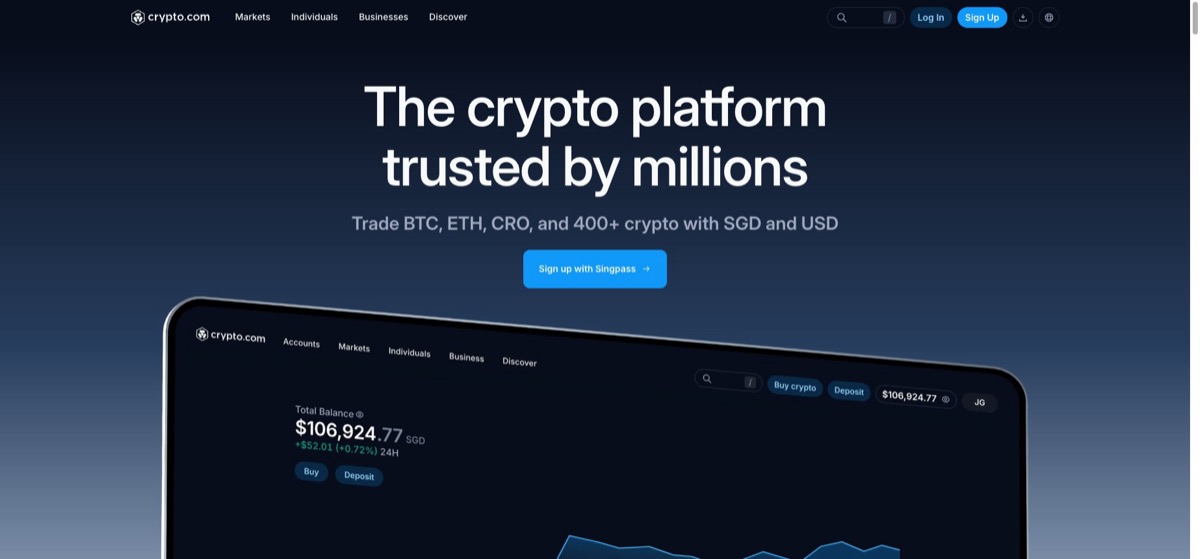
Crypto.com is the most consumer-facing brand in crypto, and its pitch is simple: one polished app for buying, holding, earning, and spending, topped off with a Visa card that pays cashback. Founded in 2016 and based in Singapore, it has spent heavily on mainstream visibility, from arena naming rights in Los Angeles to a long list of sports sponsorships. The product largely delivers on convenience, but at a price: app purchases cost more than trading on an order book, and the best card perks require locking up the platform’s CRO token. This review covers what you get, what it costs, and who should use it.
Verdict at a glance
Crypto.com is best for mobile-first users who want an all-in-one app and are attracted to the Visa card and its cashback perks. Cost-focused traders will do better on the separate Crypto.com Exchange or a rival order-book platform, because the app’s convenience pricing adds up.
| Category | Rating |
|---|---|
| App experience | Excellent |
| Card and perks | Good |
| Fees (app) | Moderate |
| Fees (exchange) | Good |
| Security | Strong |
| Beginner friendliness | Good |
App vs Exchange: two different products
The first thing to understand is that Crypto.com is really two products sharing one brand. The consumer app is the flagship: a slick mobile experience where you can buy bitcoin, ethereum, solana, and a few hundred other assets with a card or bank transfer in a few taps. It bundles in earn products, the Visa card, and simple recurring buys, and it is clearly built for people who want crypto to feel like a normal fintech app. If you are making your very first purchase, the flow is as gentle as anything covered in our how to buy crypto guide.
The Crypto.com Exchange is a separate platform aimed at active traders, with an order book, maker and taker pricing, and deeper tools. Pricing there is materially better than in the app. Plenty of users never touch the Exchange at all: the app is the mainstream product, and the Exchange exists for the minority who outgrow it.
The Visa card and CRO
The Visa card is Crypto.com’s signature feature and the main reason many people sign up. It is a prepaid card you top up from the app and spend anywhere Visa is accepted, earning cashback paid in CRO, the platform’s native token. The card comes in tiers, and the better tiers, with higher cashback and extras such as streaming rebates or airport lounge access, require you to buy and lock up a set amount of CRO for a fixed period. That mechanic ties the card program directly to demand for the token, which is clever business design but means your perks depend on an asset that moves with the market. The lock-up works like a staking commitment, so it helps to understand the general trade-offs in our crypto staking guide before committing.
One honest caution: Crypto.com has trimmed card benefits several times over the years, cutting cashback rates and perks on existing tiers. The card is still a genuine differentiator, but treat the current benefits as subject to change rather than a promise, and check the live terms for your region before locking up CRO to qualify.
Fees
Fees are the weakest part of the consumer app. Buying inside the app is priced for convenience: card purchases carry meaningful costs, and quoted prices include a spread that is not always easy to see or compare. That opacity is a recurring criticism, and it is fair. On an order-book venue like Binance or Kraken you can see the market price and know your fee, while in the Crypto.com app the all-in cost is baked into the quote. Casual buyers may decide the convenience is worth it. Anyone trading regularly should use the Crypto.com Exchange, where maker and taker rates are competitive and fall further with volume or CRO-based discounts. Withdrawal fees vary by coin and network, so check the schedule before moving funds.
Security and regulation
Crypto.com’s security record is solid with one notable blemish. In January 2022 attackers bypassed two-factor authentication on a set of accounts and withdrew crypto worth tens of millions of dollars. The company reimbursed affected users in full, rebuilt its 2FA infrastructure, and added mandatory delays for new withdrawal addresses. Handling a breach that way counts for a lot, though it is a reminder that no platform is invulnerable. Day to day, the platform offers two-factor authentication, withdrawal address whitelisting, and cold storage for the bulk of customer assets.
On the regulatory side, Crypto.com has collected licenses and registrations across a long list of jurisdictions, including in Singapore, Europe, and the Middle East, and has generally pursued compliance rather than fighting it, a strategy worth reading against the wider backdrop in our crypto regulation overview. As always, an exchange account is not a wallet you control. For long-term holdings, move coins to self-custody; our crypto wallets guide and Ledger review explain how.
Who it is for
Choose Crypto.com if you live on your phone, want one app that handles buying, earning, and spending, and the Visa card fits your lifestyle. It is also a reasonable first platform for beginners, with the caveat that you pay extra for the smooth experience. If simplicity is your only priority and the card does not tempt you, Coinbase is the more established beginner alternative in regulated Western markets. If low trading costs matter most, go straight to an order-book exchange.
Pros and cons
Pros
- Polished, genuinely beginner-friendly mobile app covering buying, earning, and spending
- Visa card with CRO cashback is a real differentiator no major rival matches
- Broad regulatory license footprint across multiple jurisdictions
- Strong security posture, and the 2022 incident was fully reimbursed
Cons
- App pricing is convenience-grade, with spread-based costs that are hard to see
- Card reward tiers have been downgraded repeatedly over the years
- Best perks require locking up CRO, exposing you to the token’s price swings
- The split between app and Exchange confuses newcomers comparing fees
Frequently asked questions
Is Crypto.com safe? Broadly yes. It uses strong account security and cold storage, holds licenses in many jurisdictions, and fully reimbursed users after its 2022 hack. As with any platform, self-custody remains the safer home for long-term holdings.
What is CRO used for? CRO is Crypto.com’s native token. Locking it up unlocks card tiers and better cashback, and it can reduce trading fees on the Exchange. Its price moves with the market, so lock-ups carry risk.
Is the Crypto.com Visa card worth it? It depends on the tier and your spending. Entry tiers are low-commitment, while higher tiers demand a significant CRO lock-up. Benefits have been cut before, so judge the card on today’s published terms, not past headlines.
Why are Crypto.com app fees criticized? App purchases include spreads and convenience pricing that cost more than trading on an order book, and the all-in cost is not always transparent. The separate Crypto.com Exchange is much cheaper for active trading.
Is Crypto.com good for beginners? Yes. The app is one of the easiest ways to make a first purchase. Just be aware you pay for that ease, and compare it with other beginner platforms before settling in.
What happened in the 2022 Crypto.com hack? Attackers bypassed 2FA on some accounts and stole crypto worth tens of millions of dollars. Crypto.com reimbursed all affected users, overhauled its 2FA system, and added withdrawal safeguards.
Related reading
- How to buy bitcoin, for a step-by-step first purchase walkthrough
- What is blockchain, for a primer on the technology behind the app
- Bitcoin ETF explained, for context on crypto’s push into the mainstream